Find your next favourite.
Explore popular movies and shows, view details and trailers, and send new titles to your own Radarr or Sonarr library.
Your media. Your hardware. Your control.
Bring your movies, shows, downloads, and server health together. Dragon Media Manager puts your own media setup within easy reach.
Requires your own compatible software and server.
No media, hosting, or server software included.
CONNECTS TO
YOUR EXISTING SETUP
Less switching. More control.
Keep the software you already use. Bring its everyday controls into one app, built for the devices already in your hand.
Explore popular movies and shows, view details and trailers, and send new titles to your own Radarr or Sonarr library.
Check SABnzbd download progress and pause or resume your queue. Your server handles the downloading.
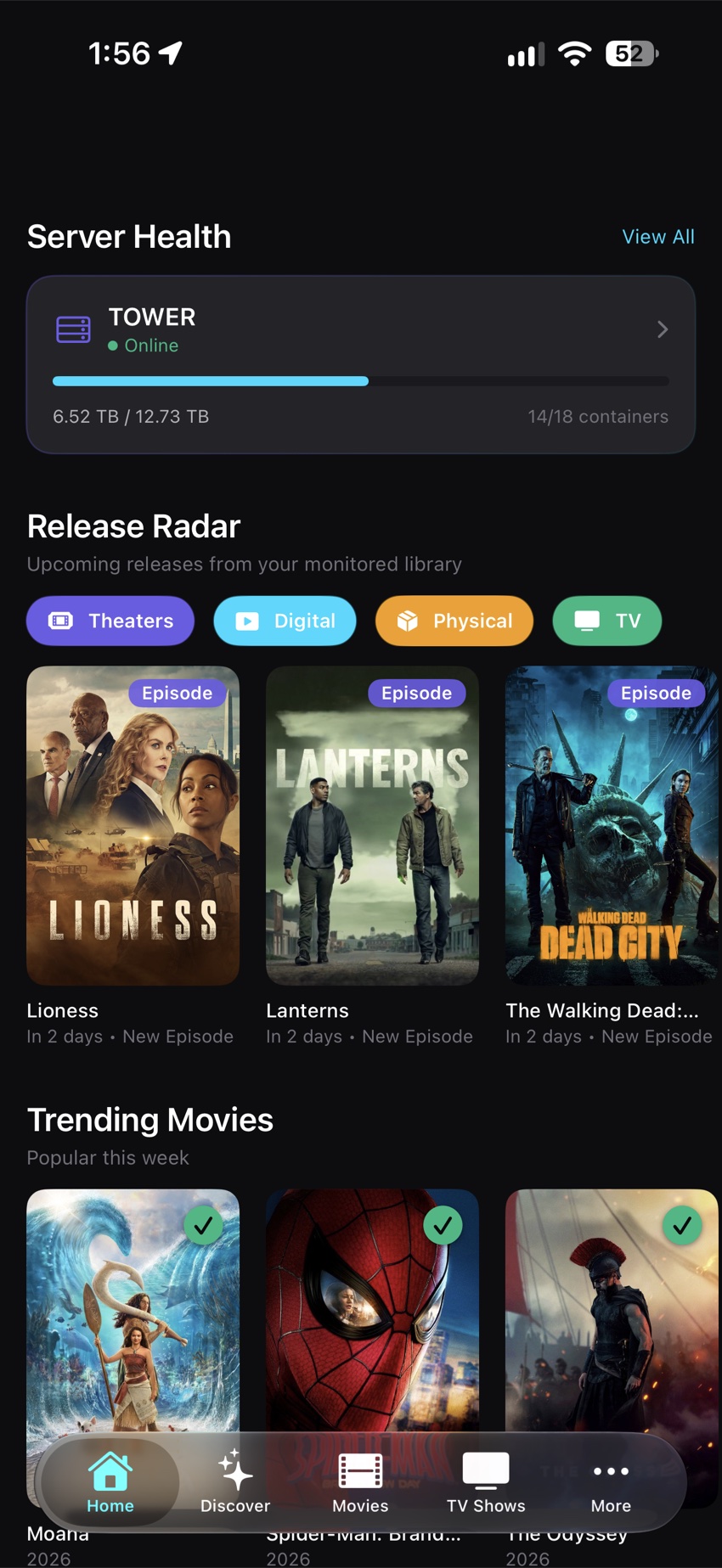
Follow upcoming movies and episodes with Release Radar, a calendar view, and Home Screen widgets.
Check Unraid health, storage, Docker containers, and virtual machines alongside your media services.
Save quality profiles, folders, and add presets. Reuse your preferences across Discover, Siri shortcuts, and Apple Watch.
Use optional encrypted iCloud settings sync and backup/restore to keep your configuration close at hand.
A closer look
A focused dark interface. Your library at a glance. The controls you need, right where you need them.
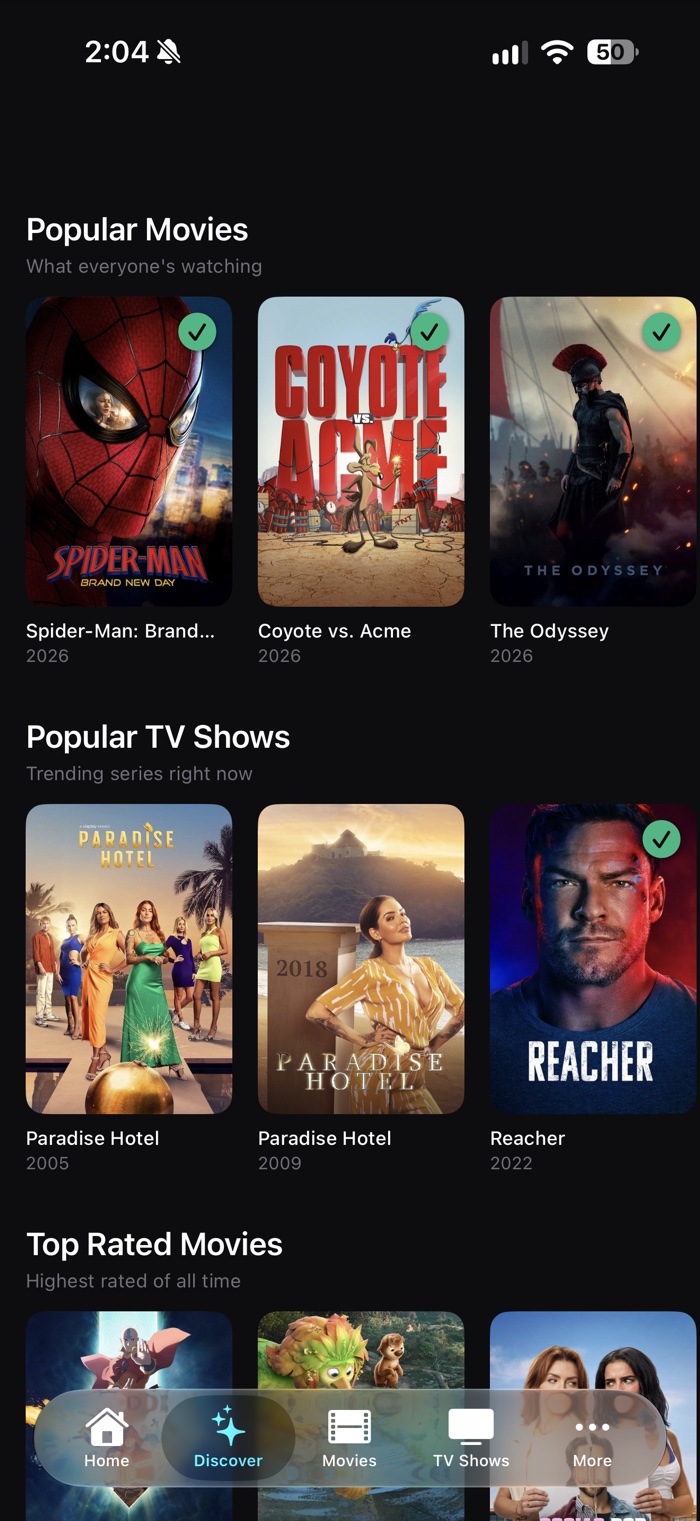
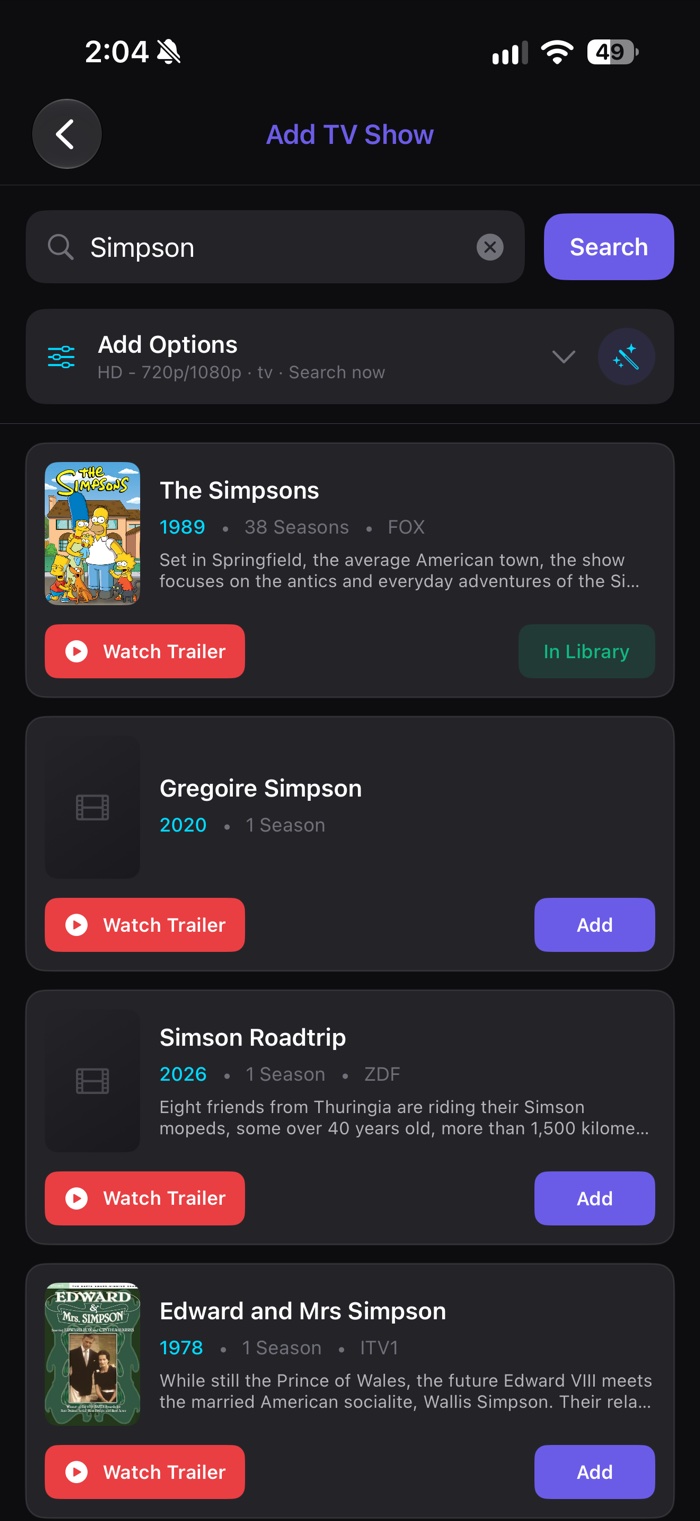
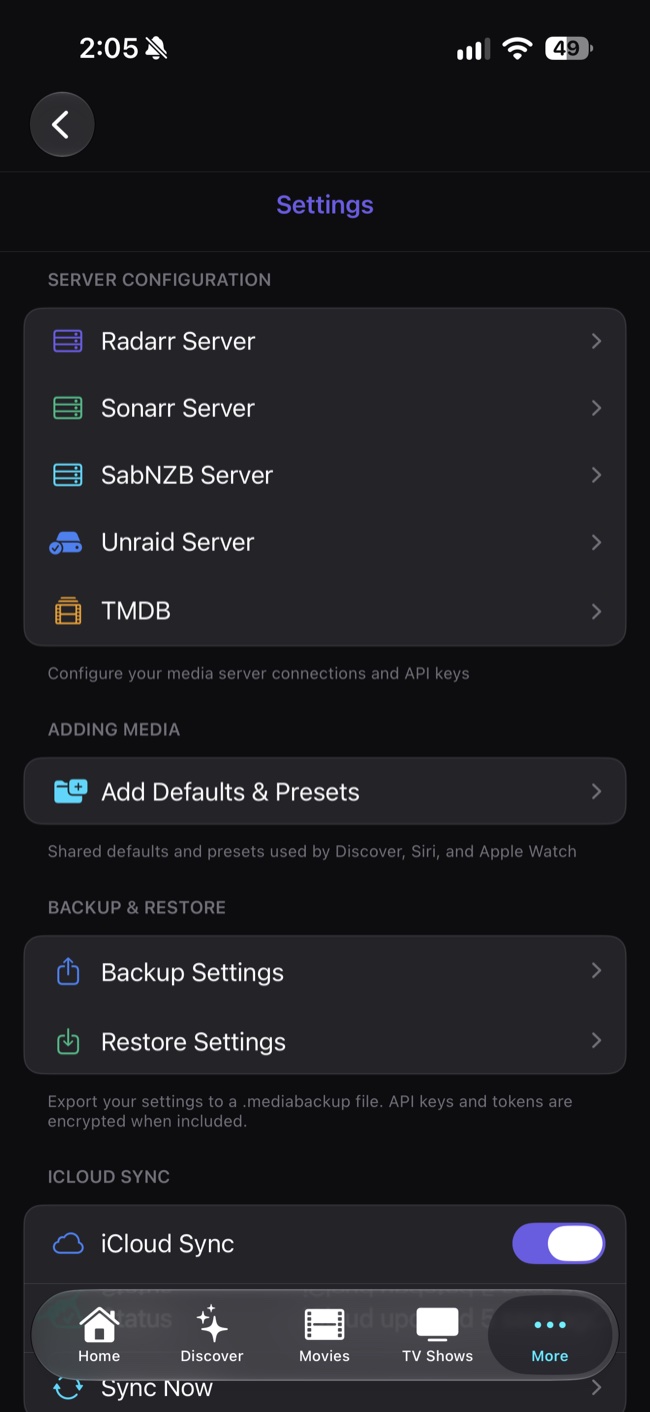
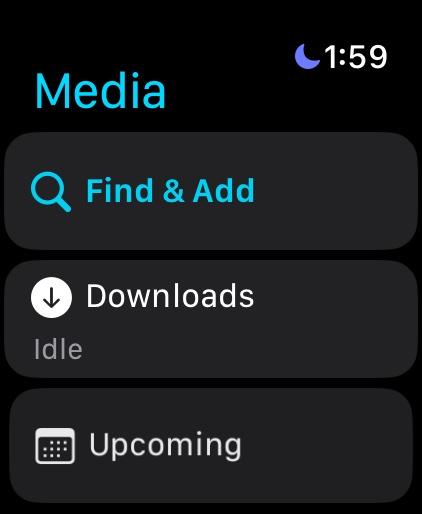
Screens show the current app experience. Features vary by platform and installed version; check the App Store for release availability.
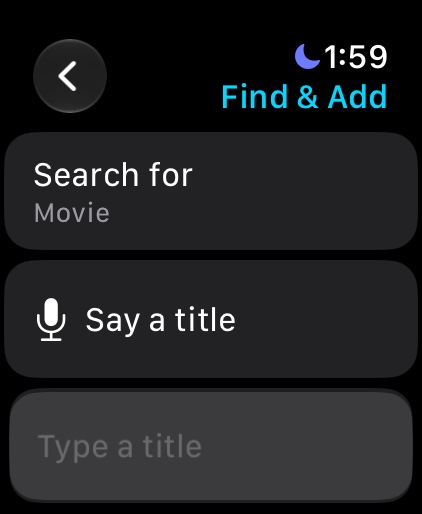
A little screen. A lot of possibility.
Check what’s coming, glance at downloads, or find a movie or show with the Apple Watch companion. Add requests use the preferences you’ve already saved on iPhone.
Requires the configured iPhone companion and a connection to your services. Watch data may show the last synced snapshot.
Bring your own server
Dragon Media Manager connects to services you run or are authorized to access. It does not install or run Radarr, Sonarr, SABnzbd, or Unraid. Downloads, library changes, and server operations happen on your connected software—not inside the app.
Install and configure the compatible services you want to use on your own server.
Enter each service’s address and API key in the app’s Settings.
Browse your library and manage connected services. Remote access depends on your network setup.
Good to know
No. It is a remote management companion. You supply the software, server, credentials, and any media you are authorized to manage. It is not a streaming service or a standalone downloader.
No. Configure the compatible services you use. Each feature needs its corresponding service: Radarr for your movie library, Sonarr for shows, SABnzbd for downloads, and Unraid for server controls.
Yes, when your device can securely reach your configured services. The app does not provide a VPN, tunnel, or hosted relay. Your remote-access setup is managed by you.
Optional iCloud sync keeps supported settings and credentials together through encrypted private iCloud storage. For iPhone and Apple TV settings sync, use version 2.12 or later on both devices, sign in to the same iCloud account, and enable sync in each app.
The App Store listing shows pricing, compatibility, and release availability for your region. The screenshots here show the current app experience; availability may differ by region and version.
What’s next
Here’s what we’re working on for the next release.
Bringing Unraid more closely into your everyday workflow.
Getting the Apple TV version ready for its full release.
Making more of the app available through Siri and App Intents.
Adding support for the iPhone Duo layout.
Fixing bugs and improving reliability across the app.
Made by an independent developer
Need help connecting? Found something that could be better? Send James a message about Dragon Media Manager.
Include your app version, device, and the service involved. Never send API keys, passwords, or private server addresses.